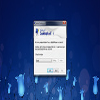
Secure your Windows desktop with a straightforward double-click, ensuring privacy and protection
Secure your Windows desktop with a straightforward double-click, ensuring privacy and protection
Vote (9 votes)
Program license Free
Developer Stardust Software
Version 5.0.0.280
Works under Windows
Vote
(9 votes)
Developer
Stardust Software
Works under
Windows
Program license
Free
Version
5.0.0.280
Pros
- Instantly locks the desktop with a double-click
- Utilizes Windows’ existing security features
- Lightweight and easy to install or remove
- Requires no complex configuration
Cons
- Lacks advanced customization options
- Offers no additional authentication enhancements
- Basic feature set may not suit users with specialized security needs
Quickly lock your Windows desktop for privacy and security with a double-click.
Effortless Desktop Security
Stardust Desktop Lock 5 is a lightweight utility designed for users who need a fast and reliable way to lock their computer screens. With a simple double-click, the tool engages Windows’ native lock feature, ensuring your desktop remains inaccessible to others while you’re away. This focus on user convenience helps prevent unauthorized access to sensitive information or work-in-progress files.
Straightforward Functionality
The software adds an icon to your desktop or system tray. Double-clicking this icon instantly activates the lock, making the process much quicker than manually using keyboard shortcuts or navigating through the Start menu. This instant protection is ideal for settings where stepping away from your machine suddenly is common, such as offices or shared workspaces.
Compatibility and Setup
Stardust Desktop Lock 5 is compatible with Windows XP and later versions, requiring minimal resources and negligible installation time. The application leverages built-in Windows policies to initiate the lock, avoiding the need for extra configuration or complex user interfaces. Uninstallation is straightforward, with the provided uninstaller removing all components cleanly.
Security Improvements Over Standard Screen Savers
Unlike standard screen savers, which often lack password protection unless manually configured, Stardust Desktop Lock 5 always enforces the Windows logon password. This means there’s no risk of accidentally leaving your desktop accessible just because you forgot to set a password on your screen saver.
User Experience and Limitations
The tool’s simplicity ensures minimal learning curve and does not burden system performance or clutter the user interface. However, those seeking advanced features such as remote lock, custom notifications, or integration with third-party authentication methods may find it limited. The software does not replace or enhance Windows’ login system but serves as a convenient shortcut to quickly invoke it.
Final Verdict
Stardust Desktop Lock 5 is a practical solution for users who want a quick, no-nonsense method to lock their computers. Its focus on simplicity and security makes it best-suited for environments where privacy and efficiency are valued.
Pros
- Instantly locks the desktop with a double-click
- Utilizes Windows’ existing security features
- Lightweight and easy to install or remove
- Requires no complex configuration
Cons
- Lacks advanced customization options
- Offers no additional authentication enhancements
- Basic feature set may not suit users with specialized security needs